Showing posts with label Operating system. Show all posts

Sunday, August 14, 2016

Torrents For Newbies 103

Torrents for Newbies 103


I have done everything you asked and it never transfers my data. What should I do? The last section of this Torrents will be to deal with the dreaded ISP throttling. What happens is since Bittorrents make up a large part of the internet traffic currently out there. Your ISP has a desire to limit the traffic and speed up the browser speed of others that are not using peer to peer programs. None of these will guarantee that you will get a faster speed however they can try and help you get around the clumsy ISP that only puts a simple layer of defense. Since I have been talking of Utorrent as your client I will stick with only offering the solution for that client. You can search for solutions for your client. They are available. OK so here we go. bandwidth-throttling
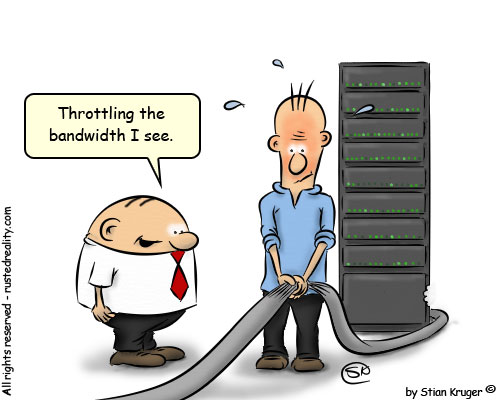
First- You can try and encrypt the data. This does has a downside as people must share with you that are also encrypting data. However it is a way that you can get around the data. RC4 encryption is offered right in the Utorrent client and most clients. If you have the Utorrent Client. Open up the Preferences panel and select the BitTorrent tab. Select Protocol encryption and then choose between "enabled" and "forced. (Options, Preferences, Bitorrent, Protocol Encryption). Keep the allow legacy checked. Then change that to forced. It will ensure you are encrypted all the time. Second - Is change your port or make your port random. The reason is ISP have now blocked certain ports. Utorrent has a way to random your port. (Options, Preferences, connection, random port each start). This will ensure you get a random port when the program starts. So ensure this is checked. Third - Is you can set it to Lazy Bit Field. (Options, Preferences, Advance, peer.lazy.bitfiled =true) This sounds real technical but is not that much. It just changes the shape of uploaded packets. It will leave it to the user on the other end to determine the connection. It is an effective method of shaping your outgoing traffic. Forth - VPN you can go through a VPN. It is not difficult to set up. It will tunnel the data you are sending and receiving through this tunnel in hopes to hide your activity from the ISP. Ok so you have all the ways to try and shape the traffic. Now for the bad news. ISPs are always changing what they do and how to shape traffic to prevent peer to peer programs. However today these are the most effective ways to try and shape your traffic so the ISP will not detect you. Hope this article on Torrents for the Novice provides you with answers to get your favorite items from the web.

 Thanks Tim Potter Sugar Land Texas


Sunday, January 20, 2013

Life With A Tablet PC

What is it like owning a Tablet PC

Tim Potter Samsung Tab Plus


Well I bought a Samsung 7" tablet a few months back. The reason I bought a 7" and not a 10" was the fact I wanted something I could carry. However I wanted it large enough to see without having to expand the screen size. What I have found is this an excellent complimentary device that is portable light and easy to use. Additionally this has the capability for cell phone and messaging. Along with a blue tooth device it is just awesome. With a keyboard style layout and messaging in conversation mode. It makes for excellent communication. Also because it has 3G and 4G capabilities I can use Google Voice to call the US free of charge. (3g or wifi charges may apply). The size and weight of the device is also a plus we can carry it around to mall or to stores. This has replaced our cell phones and used as much as a laptop or desktop. It also has almost replaced the camera we have. It takes excellent pictures and with various apps it makes it so easy to take great pictures.
Google Play
Google Play

Google Play


The other benefit is Google Play a site dedicated to applications that you can use on the device. Many are free and some charge. There are games, e-readers and just so much it is hard to explain. I was an Apple guy and thought Ipad has this market all sowed up with ease of use. Not the case. We have the 16Gb model and that is so much storage. We have hundreds of songs and thousands of pictures that can so easily be flipped through and listened to or watched.

Features


The other question many have are they all the same. Do all tablets that offer android have the same features and specs. I tried many of them and laid them down side by side. Ipad was the best of the bunch yet it had a price tag that says hey I am a Cadillac. Then I got to the Android tablets. I looked at specs and looked at storage on the device. I have a Tab Plus which minus (specs wise) the screen is better then the Tab 2 (not available when I purchased). The biggest thing I found with the cheaper models was the screen responsiveness. How hard I had to push or hold to make things happen. Clarity of icons and camera was another issue with the cheaper off name brands. The best thing to do is shop around there are so many brands to choose from. The Tab Plus is cheaper because of the release of the Tab2. One thing you should look for is a device that has Ice Cream Sandwich or Honey Comb. They are the latest OS for Android Devices. Stay away for a device that has Froyo as it may not be able to be upgraded as the case with the Original Samsung Tab. 

These devices are just awesome for the casual user that wants to surf or just wants to get on the web, check email or facebook. Without the hassle of a laptop. The battery life is reasonably good 9+ hours of surf time. Plus it makes life so easy.

Enjoy..... 
Computers Blogs
Computers blog