Showing posts with label Optimal. Show all posts

Sunday, August 14, 2016

Torrents For Newbies 103

Torrents for Newbies 103


I have done everything you asked and it never transfers my data. What should I do? The last section of this Torrents will be to deal with the dreaded ISP throttling. What happens is since Bittorrents make up a large part of the internet traffic currently out there. Your ISP has a desire to limit the traffic and speed up the browser speed of others that are not using peer to peer programs. None of these will guarantee that you will get a faster speed however they can try and help you get around the clumsy ISP that only puts a simple layer of defense. Since I have been talking of Utorrent as your client I will stick with only offering the solution for that client. You can search for solutions for your client. They are available. OK so here we go. bandwidth-throttling
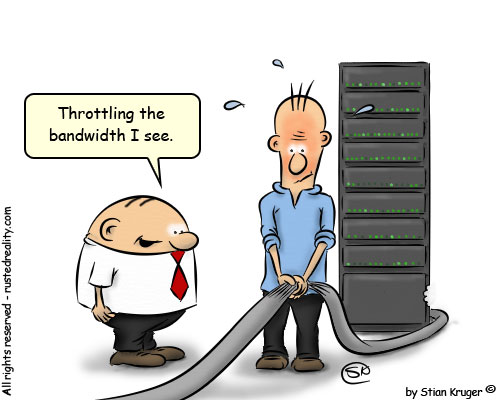
First- You can try and encrypt the data. This does has a downside as people must share with you that are also encrypting data. However it is a way that you can get around the data. RC4 encryption is offered right in the Utorrent client and most clients. If you have the Utorrent Client. Open up the Preferences panel and select the BitTorrent tab. Select Protocol encryption and then choose between "enabled" and "forced. (Options, Preferences, Bitorrent, Protocol Encryption). Keep the allow legacy checked. Then change that to forced. It will ensure you are encrypted all the time. Second - Is change your port or make your port random. The reason is ISP have now blocked certain ports. Utorrent has a way to random your port. (Options, Preferences, connection, random port each start). This will ensure you get a random port when the program starts. So ensure this is checked. Third - Is you can set it to Lazy Bit Field. (Options, Preferences, Advance, peer.lazy.bitfiled =true) This sounds real technical but is not that much. It just changes the shape of uploaded packets. It will leave it to the user on the other end to determine the connection. It is an effective method of shaping your outgoing traffic. Forth - VPN you can go through a VPN. It is not difficult to set up. It will tunnel the data you are sending and receiving through this tunnel in hopes to hide your activity from the ISP. Ok so you have all the ways to try and shape the traffic. Now for the bad news. ISPs are always changing what they do and how to shape traffic to prevent peer to peer programs. However today these are the most effective ways to try and shape your traffic so the ISP will not detect you. Hope this article on Torrents for the Novice provides you with answers to get your favorite items from the web.

 Thanks Tim Potter Sugar Land Texas


Friday, January 18, 2013

Keep your Computer Running at Optimal Condition


Computer maintenance and repair while living in the Philippines.

Tim' Potter Cartoon computer


Since it seems that this will be your life line to the outside world
you need to keep this in tip top condition. 

You must do certain things to keep it up and running. I am going to attempt to give you a
few things that I feel will keep you running in optimal conditions.
Since I am windows user this will be strictly for windows users.
Everything I will list to use is free to use.

First:


DEFRAG- I would ensure you run your defrag program at least once a
month. Look at your computer like a huge library as time goes on the
books get placed in different order and on the wrong shelf. Well the
same thing happens to your computer. These files become scattered all
over the hard drive. The defrag program is located right on your
computer and it is free to use. So use it, your speed will increase
by seconds or mins depending how fragmented your hard drive is.

Second:


CCleaner- is a free program that removes temporary files from your
computer. Go to the Cleaner section and hit "ANALYZE" when complete
"RUN CLEANER". As you have been surfing the Internet your computer
downloads little pieces of information and stores them on your
computer. This will clean alot of space on the computer. Plus again
this can slow down the computer as it searches for these little pieces
of information. Now go to the Registry section and hit "SCAN FOR
ISSUES" once complete you can now select all and "FIX SELECTED
ISSUES". It will ask you to back up your entries just save this to a
location on your computer. What happens here is as you install and
uninstall programs on your computer little pieces of the program are
left behind. This will remove those chucks of data. This also should
be run once month or more often if you are installing or uninstalling
programs.

Third:


Malwarebytes- What this program does remove spyware and malware from
your computer. This is different then a virus that attacks and slows
down your computer. This is primarily used to redirect your computer
browsing to different sites. Example you ever go to google and what
you had been searching for now appears as an advertisment to the
right. Though not malware or spyware it is a tracking cooking that
tracks your moves. What the Malware or spyware will do is create
popups or redirect you automatically to these sites. Additionally this
will slow your computer. It will direct you to certain sites no
matter what you type. They are also collecting data that you type and
sending to companies. It can be potentially dangerous if some of your
information is collected and sent to these people. I recommends you
run this program at least weekly to prevent such actions. As you can
see this will slow your browsing speed down and give you bogus
information when you do a search. Additionally the potential for harm
is great. When you get this program just run a quick scan once a week
and you will be safe.

Forth:


AVG FREE- This is a virus removal program. Well is that not what I
talked about above. No not really. Virus is a catch all phrase that
includes the above but is not limited to just that. Viruses tend to
spread. They go from infected host to other drives and anything
connected to the computer. They are malicious and attack the very
fabric which makes the computer run. Yes they can do what I stated
above however these little bugs are dangerous as they will cripple
your machine. To the point it will never run again. Getting a anti
virus program that runs in the background is a safe and effective
option.

Fifth:


Make sure your firewall is on. The reason is simple it acts a buffer
to what is coming from your computer to the Internet and what is
coming from the inter net to your computer. There are people that
will exploit open systems on the Internet and attack your computer
from cyber space. This will ensure they do not do that.

Sixth: 


Automatic updates. I recommend keeping them off. Then just
update them manually. Reason is when it updates it will use as much
resources as possible to accomplish the update. It will slow your
computer down as it updates. Just do not forget to run this. It
applies alot of security patches to your computer as the hackers are
always looking to exploit your computer.


With all all that said will this make you safe. The answer is no.
However it will make you safer and will keep you running in a peak
condition.
UECDGKMBG858

Related articles