Showing posts with label Web search engine. Show all posts

Sunday, August 14, 2016

Torrents For Newbies 103

Torrents for Newbies 103


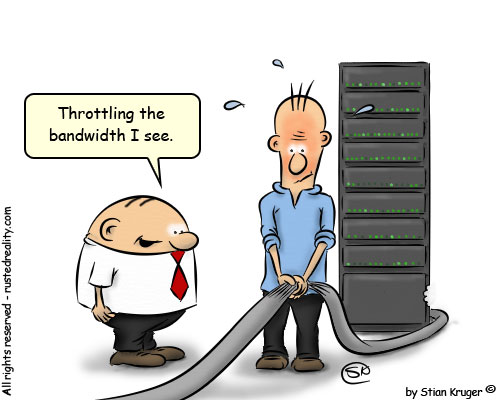
I have done everything you asked and it never transfers my data. What should I do? The last section of this Torrents will be to deal with the dreaded ISP throttling. What happens is since Bittorrents make up a large part of the internet traffic currently out there. Your ISP has a desire to limit the traffic and speed up the browser speed of others that are not using peer to peer programs. None of these will guarantee that you will get a faster speed however they can try and help you get around the clumsy ISP that only puts a simple layer of defense. Since I have been talking of Utorrent as your client I will stick with only offering the solution for that client. You can search for solutions for your client. They are available. OK so here we go. bandwidth-throttling

First- You can try and encrypt the data. This does has a downside as people must share with you that are also encrypting data. However it is a way that you can get around the data. RC4 encryption is offered right in the Utorrent client and most clients. If you have the Utorrent Client. Open up the Preferences panel and select the BitTorrent tab. Select Protocol encryption and then choose between "enabled" and "forced. (Options, Preferences, Bitorrent, Protocol Encryption). Keep the allow legacy checked. Then change that to forced. It will ensure you are encrypted all the time. Second - Is change your port or make your port random. The reason is ISP have now blocked certain ports. Utorrent has a way to random your port. (Options, Preferences, connection, random port each start). This will ensure you get a random port when the program starts. So ensure this is checked. Third - Is you can set it to Lazy Bit Field. (Options, Preferences, Advance, peer.lazy.bitfiled =true) This sounds real technical but is not that much. It just changes the shape of uploaded packets. It will leave it to the user on the other end to determine the connection. It is an effective method of shaping your outgoing traffic. Forth - VPN you can go through a VPN. It is not difficult to set up. It will tunnel the data you are sending and receiving through this tunnel in hopes to hide your activity from the ISP. Ok so you have all the ways to try and shape the traffic. Now for the bad news. ISPs are always changing what they do and how to shape traffic to prevent peer to peer programs. However today these are the most effective ways to try and shape your traffic so the ISP will not detect you. Hope this article on Torrents for the Novice provides you with answers to get your favorite items from the web.

 Thanks Tim Potter Sugar Land Texas


Sunday, March 17, 2013

Blogger SEO Fixes


Image of Google and Blogger.

The best Fixes for Blogger you should do today.


When I first started this blog on Blogger I just first thought I would type a few sentences and be done.  Then the search engine would do the rest for me.  However what I have found is that this is not optimized for Search Engine Results.  So what I have had to do is change many things that would allow me to get better SEO results and a better user experience.

The things I did in no particular order and it helped with my overall experience. Finding these errors was easy as setting up webmaster tools.  However correcting them was a bit more.

  1. Duplicate Meta Tags
  2. Duplicate Title Tags
  3. No Landing Page
  4. Duplicate Search Descriptions
  5. Comments and Page have same title or duplicate.
So I will now address each one of those and what I did to fix each and everyone.  

Duplicate Meta Tags

This will not hurt you appearing in the search engine however it does affect the overall experience you have.  I used the tutorial found on this website to fix this error.  It was an easy enough fix.  CLICK HERE

Duplicate Title Tag

What happens with Blogger is they use the Blog Title in every post.  So your posts in the search engines do not have an idea about what the post is about.  What you need to do is reverse the two.  So the post title appears first and your blog title appears second.  It is an easy fix and should increase your overall position in the search results.  It was an easy fix and a good tutorial can be found here.  CLICK HERE

No Landing Page


No I found that the best thing is a landing page.  I post my link to various forums and other places that allow my site to be seen.  Yet people never got the sense of feel except the last post.  Maybe that post does not interest them.  However I have other posts that may interest them.  So when they visit the home page I want them to have a selection of posts they can choose from.  Not just the most recent article.   Again this was a real easy fix and really helped me with page views.   I used this tutorial and found it to be very easy to accomplish.  CLICK HERE

Duplicate Search Descriptions


This occurs when each page does not have its own search description and uses the default search result for every page it is a very easy fix and you should fix this.  It will give you a better overall search and address more key items when people seek you out.   Again this is another very easy fix and will assist you and your overall experience.  CLICK HERE     This will also fix your comment page where it shows duplicate errors so it is a twofer in the fix column.

With these easy fixes you can can be up in the search results and gain more and more traffic.  The sooner you start to optimize for search engines the better it becomes.   Blogger is a great platform yet it still leaves room for improvement.     

So Enjoy......


Wednesday, February 27, 2013

Blog Search Engine Success

typewriter typing blog

How to succeed in getting your results in the search engine


I started this Blog and my other Blog to gain my reputation back from an online stalker. Some of my copyright complaints with Google have been successful not all.   So I under took this blog idea and I never realized what goes into getting a good Google ranking in the search engine.  I am not talking about your page rank I am talking about where you are positioned in the search results.   Search engines have evolved over the years and something you think would be key are really no longer key.   First and fore most when you start this undertaking you must do three things:  Sitemap for your site, Google Webmaster Tools and Google Analytic.   So the Newbie idea has come full circle into learning everything I could about Google and Search engine optimization   

Lets start with Platforms.


Image representing Blogger as depicted in Crun...

Blogger - Which is what I am using is an excellent source to begin with however it has many Draw Backs.  The templates supplied are not optimized for search engines.  With that I spent hours fixing these errors.  Errors that are vital to reaching that number one position.  Some of the errors required me actually modifying the Template to adjust these errors.  This is not easy however it can be done.   Couple of errors I received were duplicate meta tags, duplicate titles.  This is a huge issue when you consider the goal of getting to number one.  However Blogger is a Google Product so it tends to get a little more consideration then other platforms.

WordPress


Always the grass looks greener on another platform however Word Press has a huge community and with that they also have a huge database of people that are able to assist you.  I am not sure of the all the errors with Word Press they do seem less when I was doing research trying to fix my site.  Additionally my duplicate site at the time did not have all these errors.


Title and Keywords


When a search engine goes to find key words the first place they seem to look at is your website address and title pages.  These are vital to match your keywords you are trying to target.  Additionally within the body of your text you must contain keywords that also relate to your Blog Title.  However there is a very fine line on what google accepts and does not accept.  I have read about 10 articles on the subject of keywords.  What is a good percentage is around 4% no higher or you may hit with what is known as key word stuffing.  So keep it between 2-4% and you accomplish your mission.  Remember your title should contain the keyword you are looking to accomplish.

Meta Tags and Descriptions


This has been around for a long time.  Each post you do in a blog should have a meta tag for search description.  Thus your post can easily be found in the search directory.  Again your search description needs to contain the keywords you are striving for in the post.   There are many other meta tags that help however one that seems to really help is having Authorship and if you have a Google plus account link it to that.   Also a meta tag that targets your language you are writing in is very helpful to the search engines.  There seems to be a bit of contention on the next one and this is meta tag for keywords.  Years ago this seemed very important however with the new algorhythms in search engines it is not that important.  Yet still it is another piece and you should have a keyword meta tag. 


First 100 words


When you write your blog it seems from what I read in various blogs from specialist in the field that your first 100 words are the most vital.  So you need to ensure that those first 100 words contain 4% keyword.  Thus the search engine will be very familiar with your site.  


66% Google share


Why do I say that.  Because that is the percentage of searches that are done on Google vice Yahoo, Bing, Ask and the various other search providers.  So do not forget to also do a sitemap and webmaster tools for Bing.  They additionally do this for yahoo.  With Firefox containing just under 20% of market share in browsers and switching from Google to Yahoo with a default yahoo tool bar. There will be a slight shift in that market share.    


Backlinks Backlinks Backlinks 


What this is are how many sites leading to your website.  The more the better is the correct answer however let me explain this further.  The people at the Search engines are not stupid.  If you have a brand new website that is generating very little traffic there is no way you can have 10,000 back links.  You need to build these in a natural conforming way.  The best way though not much weight is given to them is commenting on others blogs.  You could also write a guest blog yet when you first start out that is not really an option.  What I found best is find forums in your niche market and create back links via your profile.  Also post your work on the forum for others to read.  You get good feed back from your post and if the forum allows it you can get a back link also.  It is better to have 5 quality back links from respected sites then 50 from junk sites.    


Social Media


This is a vital tool in the success of your blog.  The search engines spend lots of time on social as the data is constantly changing.  So post your work on the social media page.  Create fan pages in social media.  Link your site to your profiles in social media.  This way you get the word out your site is out there.  Also it creates a buzz and people start talking about your site.  The more people share the better it is for your site.

These are just some newbie tips to help you with your first blog or web page.  It can be overwhelming being a newbie yet with a little bit a time and a little reading you will up and running to the first page of your favorite search engine.  Also do not forget content quality content is more important then any search engine optimization trick you can pull.  


Tuesday, January 22, 2013

"6" Simple Facebook Safety Steps

FaceBook Privacy and Safety


facebook Lock down tim Potter


I have been a victim of a CyberStalker.  Give you an idea I do not know this guy nor have ever met him.  I was on a forum that he posted an opinion that I disagreed with.  So he started a crusade against me online.  He stole pictures from my Facebook and other guest blogs I had done.  Now I have been vigilant ensuring that my picture and likeness never appear on the web.  Nor pictures of my family.  Now there are things you can do that will ensure your safety and that of your family if you Facebook.  Even if you are not a victim it can happen to you.


Internet Safety Center

I recommend that everyone head over to this website for additionally tips to help you  with Internet Safety.


Step 1: 


You need to go to you Account Privacy settings

Profile Drop down Facebook


Step 2: 


Then you will click on profile.  Listed here are the safety setting for your entire profile. It is an easy break down for all your personal information.  You should be setting every single one of these to Only Friends.


Facebook Personal Info


Step 3: 


Now select your albums and ensure that only friends have access to view and look through all your photos.
facebook Info

Step 4: 


Now go back to your account privacy information.  Ensure that everything is set to only friends.  Now you should change one setting that is add me as a friend to everyone.  Then people will be able to allow you to become their friend.
Facebook Safety


Step 5: 


This is the one that has me worried the most.  You have applications that friends use that allow those applications full access to your profile.  They can then get in there and use, take, distribute your information. So you are going to want to change these settings.  Go to Privacy, applications and websites.  You are going to want to un-tick every single one of those.  Then save your changes.

Applications and websites


Step 6:


 Last thing is to verify that activity on your Applications and dashboard are set to Friends only.

Privacy Settings


Enjoy


Internet Blogs
Internet blog

Friday, January 18, 2013

Two Tips to Better Googling

Good Goggling tips for a Better Experience.

Image representing Google as depicted in Crunch base

First Tip:

No Region Google


Look I am not alone when I say this. I hate that I get Regional  Google. I want to search the web and being an American most of my searches are targeted for the entire web and not ads that suit my location. 

I changed my searches over to this. What it does is give you Google without country ID. Thus you can search the web and find relevant items without a lot of Regional items.

Just by adding NCR after the .com/NCR  you will search the entire web.  This can also be accomplished through the Google tool bar.  However if you are like me.  Who wants all those tool bars?  

Second Tip:

Recording all Your Search Terms


Yes as I said every thing you have ever searched for is saved by Google  If you were logged into Gmail or Google in any form. You can also review everything you ever searched for. Hmmm maybe not a good thing.

Helpful to turn it off


Turn off your Google Web History


If you're visiting a webpage or performing a search that you don't want stored in your Google Web History:
Click the gear icon on the upper right corner of a search results page, and go to Search history.
Click the gear icon again on the upper corner of the Web History page, and go to Settings.
Click the Turn off button next to "Web History is on." To start keeping track of your web search activity again, click the Turn on button.
Sometimes you might prefer to run a few searches without recording them. Instead of turning off your Google Web History, you can simply use a private browsing mode like Google Chrome incognito mode or Firefox Private Browsing to prevent your web activities from being associated with your Google Web History.
Note: If you sign in to your Google Account in private browsing mode, your subsequent web activities are recorded in your Google Web History. Stay signed out if you don't want them to be stored.
If you'd like to sign out of Google Web History altogether, click your name or email address at the top of the page, then select Sign out from the drop-down menu. Note that you'll need to sign back in to your Google Account in order for Google Web History to begin storing your activity again.
If you sign out of your Google Account, your browser might continue to store your search history. 

If you like the tips ensure you like us on Face Book and Google plus.

How to get Blog Indexed by Google


Getting a Blog Indexed by Google


Google Index


I wondered what it took to get Google to index it in the search engine. Then I wondered how long it would take Google to index it.  


Well everything I read the answer was who the hell knows.  There is no answer to that question and only Google has the answer.  So then I read about what you can do to get Google to index your site faster.  Here is a list of the things I found out.  This is good for anyone that wants to start a website or blog.  

List of things to do.


SEO (search engine optimize) optimize your site:  I used a website to ensure that my site was optimized to ensure the search engine read the site.  When I first built the site it was at 47% now I am at 100% .

Signup for Google analytic and include the code in you site

Signup for Google webmaster tools and submit a site map

Backlinks to relevant locations.  Not just back links as that can slow you down.

Social Media Google plus and Facebook drive traffic.  You should use that as you as the Author of content.

Content.  When you first get a website keep your content simple and what you write about to one particular topic.  If there is less on that topic out there then you get indexed faster.  However good content.

Internal links Search engines like that you have links to other items.  So ensure you have internal links to things.  

I did these simple things and 4 days my website was indexed by Google   So it can be done easily yet you must do things that Google likes to see.  Your content plays a very large role in getting you indexed.  

Enjoy.
Update

*** This was the second article I published and after 4 days Google indexed my site. Now I did do a few extra things that seemed to help.  I created a Facebook Fan Page.  Then I requested Google to Crawl that page.  I also did one guest blog on another site that had a very high Page Rank.  In the end it took me only 4 days to get this page and my site indexed.  

Related articles
Web Design Blogs
Web Design blog