Showing posts with label Sugar Land Texas. Show all posts

Friday, February 15, 2013

Tim Potter's Copyright Violations and Google

Philippine-Sugar Land Tim Potter's issue with Google


Tim Potter Philippines Sugar Land by the beach
Tim Zol Potter
As I Tim Potter Philippine-Sugar Land sit back and wonder what would happen if someone stole your photos online or they steal your content. What are the actions you can take.  You can report these offenses to the web master that has the photos or material.  You can report them to the author of the website.  Yet those seem to do little good in the case of Cyber Stalker.  So then you can report them to Google who in reality just press a button for deny.

How do I,  Tim Potter Philippine-Sugar Land  know this, a Cyber Stalker has followed me around the web for no reason.  He is a jealous bitter old man.   That wishes people to live in his misery.

So then you follow the advice of Google.  Create positive things to outweigh what was said and things that are negative about you.  I Tim Potter Philippine-Sugar Land created a blog and many online profiles.  I used Blogspot and Google Plus to create these profiles.  You follow the instructions of Google.  Then the cyber stalker goes and steals your content and posts it on his profile.  He steals your Google Plus Profile and Blogspot posts.  So now you inform the website author of the what may happen.  You inform them that he has once again violated your copyright and stole your material.

Tim Potter Philippines Sugar Land after the Beach with wife
Tim Potter Philippines Sugar Land
So where does that leave us.  Well I  Tim Potter Philippine-Sugar Land gave him 12 hours to remove all my photos for his website.  I will then report this latest theft of material to Google.  Now seeing that Google Plus and Blogspot are both Google products I doubt seriously they will take kindly to the fact he has stolen from them.  However if they fail to act on this 100% plain action of copyright infringement   It will be the time  to start to exit 100% from the Google world.  As Google has just gone over the top to promote cyber stalkers and pedophiles  In the name of what?  See his site also contain underage girls in sex acts.  Yet Google refused to de-index that site.   Nor take action.   I figure unless you make a million dollars and go to court they refuse to act.  They have even refused to place those images in safe search.  Wow.....

Tim Potter Philippines Sugar Land over looking the city of Cebu
Tim Potter Philippine Sugar Land
There have been reports that ISPs do not entertain image theft anymore.  I  Tim Potter Philippine-Sugar Land  wonder how true those reports are.  The rub here is you take him to court to take down sites.  This costs you a thousand dollars or so to do as such.  Then for $10 dollars the cyber stalker opens up shop somewhere else.  Yet you are out a thousand dollars to fight back.  Additionally when the person lives in another country there is little you can do in regards to monetary damages as he is an expat in France.  Yet since this guy has a USA passport and his number was published on the web he has has been reported for child endangerment to US Authorities and the FBI.

I  Tim Potter Philippine-Sugar Land  will now sit back and wait for the outcome.  No matter the outcome with Google.  Two things will remain the same.   I will have a wife that is beautiful and would be the envy of any man.  That my cyber stalker will remain jealous and bitter over this fact.

Friday, January 25, 2013

Blocked by Google

Now this may seem like such a big deal however it is not that big of an issue.  Let me further explain.  


Automated requests sent from your machine


When I received the message:


We're sorry...

... but your computer or network may be sending automated queries. To protect our users, we can't process your request right now.

See Google Help for more information.

According to the website and help documentation I should check for Viruses, Malware and Spyware using a whole list of software they recommend to use.   I however know 100% prior to this my computer was clean.  So then why did I get this message.

Internet Service Providers (ISPs)  only have a number of Internet Protocol  (IPs) addresses they can use.  Thus they do not give you an internet address you can use on the internet.  However one address that is used on the intranet.  Then once you go out the internet you share your IP with 100's of other people on the internet.  This is know as being behind a proxy.

So how do you check if you are behind a proxy or actually assigned an IP address.  Well the process is very simple.

If you just type into Google what is my IP it will give you what your IP address is.    Then you will have one or two things you must do.

If you are connected through a router go to the router admin page and look for the WAN IP.  If that number is the same as the IP given on Google then you are not behind a Proxy.   Now if you are not behind a router and connected directly you will go to your   Windows start icon and type in the search for programs type "CMD".  (no "").   A box will appear and inside the box you will type ipconfig /all.  Look for IPV4 address and that will either match or not.   If it does not match then you are behind a proxy server.   Proxy address normally begin with either 192 or 10.

Simple and if you are unsure if you are clean from viruses, spyware and malware please read my tips on keeping your computer clean.


Thursday, January 24, 2013

Tablets changing the world

Tablets changing everything

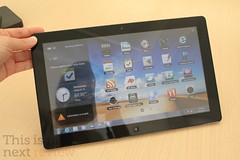
Samsung Series 7
Samsung Series 7 (Photo credit: Stratageme.com)

Recently I bought a Samsung 7" tablet and this has changed the way I view things on the internet and just in life in general.  So also I am a Newbie to this experience  I no longer have a need for books.  I can down load them on the internet and review them right here on my tablet.  I no longer have this need for newspapers I again get my total news feed right here off the internet.  I check my mail and check my social status right here on the the tablet.

You say well I have been doing that for years on my computer. 

 It is not the same as I have also.  I lay in bed at night and read a book holding the tablet.  I wake up to my morning coffee with the tablet open to my favorite page.   I can pull it out of pocket or just open up on the go and check my email.  I have my favorite TV Schedule on the tablet and it is a companion for my TV viewing pleasure.

Tim Potter Sugar Land texas Blue tooth phone

This size of tablet is what they call a Phablet.  


Not really big enough to be a true tablet but also not small enough to be a smart phone.  However the size and weight seem just perfect for everything.  It is light weight and easy to carry.  This device has become my everything go to computer device.  See where this is different is I can carry it every and it is simple easy to use.  My tablet is a little different is that it also has a Sim card and full phone and text capabilities.  So I have a blue tooth phone and it acts as my home phone also as my to go phone.

The apps that make this work are just the best.  Flipboard is my favorite by far it is like turning the pages of your favorite magazine.  Steve Jobs once said it was his favorite application and I must agree it is mine also.


So tablets are changing the way we view the internet.  They are changing the way we view the world.  The size, functionality  and weight make this my perfect travel, at home, and everywhere gadget.


Tuesday, January 22, 2013

"6" Simple Facebook Safety Steps

FaceBook Privacy and Safety


facebook Lock down tim Potter


I have been a victim of a CyberStalker.  Give you an idea I do not know this guy nor have ever met him.  I was on a forum that he posted an opinion that I disagreed with.  So he started a crusade against me online.  He stole pictures from my Facebook and other guest blogs I had done.  Now I have been vigilant ensuring that my picture and likeness never appear on the web.  Nor pictures of my family.  Now there are things you can do that will ensure your safety and that of your family if you Facebook.  Even if you are not a victim it can happen to you.


Internet Safety Center

I recommend that everyone head over to this website for additionally tips to help you  with Internet Safety.


Step 1: 


You need to go to you Account Privacy settings

Profile Drop down Facebook


Step 2: 


Then you will click on profile.  Listed here are the safety setting for your entire profile. It is an easy break down for all your personal information.  You should be setting every single one of these to Only Friends.


Facebook Personal Info


Step 3: 


Now select your albums and ensure that only friends have access to view and look through all your photos.
facebook Info

Step 4: 


Now go back to your account privacy information.  Ensure that everything is set to only friends.  Now you should change one setting that is add me as a friend to everyone.  Then people will be able to allow you to become their friend.
Facebook Safety


Step 5: 


This is the one that has me worried the most.  You have applications that friends use that allow those applications full access to your profile.  They can then get in there and use, take, distribute your information. So you are going to want to change these settings.  Go to Privacy, applications and websites.  You are going to want to un-tick every single one of those.  Then save your changes.

Applications and websites


Step 6:


 Last thing is to verify that activity on your Applications and dashboard are set to Friends only.

Privacy Settings


Enjoy


Internet Blogs
Internet blog

Bit Torrent File Sharing 101.

Upload / Download

Bit torrent for the Newbie


Bit Torrents?  What is this and how do they work. Where can I get with Bit Torrents?  Can I use such a program?  This is going to be kept simple.  So that average user can start downloading torrents.  Also as warning to you torrents and  file sharing can cause damage to your computer. This can happen through viruses, spyware and malware.  Follow my blog on computer maintenance to ensure you are protected.

I will say that torrents can give you great entertainment pleasure.  There is so much out there.  You willl find TV shows from days gone past or that artist you have been so long to hear again. There are movies and videos that would have seemed to be lost over time.  So it can be very useful when you want to find that long lost form of media.


To define Bit Torrents 


BitTorrent is a protocol that underpins the practice of peer-to-peer file sharing and is used for distributing large amounts of data over the Internet.


 Any large file  that runs or operate on your computer can be shared via Bit Torrent. 


People today are familiar with programs that allow you to share large files.   Napster was a program that allowed users to share music via a central hub and people downloaded the music to their computer. The federal government shut them down and Napster paid heavy fines for copyright violations.  Today there are  1000's of locations today you can share and download.  Where a torrent is vastly different is you do not have just one computer or single user you are downloading from.  However you have thousands of other people sharing the exact same file.  That is where a torrent is different it will take pieces of the program from several people that have the file and share it with you.  Then as the pieces of the program are collected it is reassembled and into a whole program on your computer for your use.

So you ready to give this a Go?


Bittorrent 7.2 logo

First:


You will need a program to download the files.  I prefer to use a program called U torrent.  I use it and it seems very light weight on the computer resources and contains zero spyware or malware when I install it.


Second


Next thing you need to do is look to where to find these torrents.  I will tell you there are 100's of torrent sites on the web.  These sites are under handed and will have pop ups and advertising in the hopes you click through to generate money.  Hoping to generate cash as you click these ads.   This will give you a list of locations you can down load legal content from the web. There are sites such as The Pirate Bay that deal in illegal content.  Yet the music industry and film industry have been in lawsuits against the users and owners of the site.


Third


So now you have the program and site.  From there it is easy just search your favorite artist.  As you do that it you will find what you want.  Just click down load this torrent.  Taking a closer look before you download the file will help.  Seeders are the number of people that have the program and leachers are the number getting the program. So a seeder to leecher ratio is important.  Find a high seeder and low leecher number.  Your torrents will be faster. .  U torrent does have an estimate time to completion in the interface. So when you see a result for 100's for your favorite artist always select the one wit the high seeder low leechers.

Final thought


 Bit Torrents work because of people sharing small amounts of data with the community you will be uploading and downloading at the same time.  When the download has completed you going to be still  sharing. you must close the program or stop the sharing your download.  Remember that this is a community of people and that the more that share the file the faster you go. So your part is to take and give and equal number back the community.

This should get you started on downloading your favorite things from the web.  I started thiswit it may contain virus when you do not know the source.   Good anti-virus is a must.


 Enjoy.

Sunday, January 20, 2013

Proxy Server and You

What can done with a Proxy Server


English: A schematic representation of a proxy...


First what is a proxy server:


Quote
In computer networks, a proxy server is a server (a computer system or an application) that acts as an intermediary for requests from clients seeking resources from other servers. A client connects to the proxy server, requesting some service, such as a file, connection, web page, or other resource available from a different server. The proxy server evaluates the request according to its filtering rules. For example, it may filter traffic by IP address or protocol. If the request is validated by the filter, the proxy provides the resource by connecting to the relevant server and requesting the service on behalf of the client. A proxy server may optionally alter the client's request or the server's response, and sometimes it may serve the request without contacting the specified server. In this case, it 'caches' responses from the remote server, and returns subsequent requests for the same content directly.
Click here for more

Is this not what you talked about in your article about VPN's?  No a VPN is different then a proxy server for the primary reason your data is encrypted prior arrival and when it is sent back.  Thus what actual traffic is being sent is unknown to the internet service provider and the world.  This is an just sending your data via another route.  This is just sending your data via an unsecured means through another computer so your location is unknown.

What can you do with a proxy server.


Primarily a proxy will hide your location on the internet. So if not knowing your location is important then a proxy server is the way to go. I use a proxy server to stream media from the internet. I use a pay service to do this with Hide My Net. It cost $5 a month and works with Hulu and other restricted data. As Videos from Youtube, Itunes Amazon and many others restrict your ability to go on those sites.

Where can I get a Free Proxy Server.


Remember that if you use a free proxy server they may be capturing your data. This is a risk. However if it is just to see Videos or surf geo restricted sites. Then there are sites out there you can set up a free proxy server through.

Here are a few lists of free proxy servers:
Proxy-Ip-list
IP List by Country


How do I set-up Proxy server with Browser.

IE
FireFox
Chrome


For Browsers I like to use programs that Automatically switch between the Proxy and the Direct Connection.

In FireFox I use:
FoxyProxy

In Chrome I use
Proxy Switchy

In IE I use
Proxy Switch


Last thing;


Is what to do about desktop applications that need access to the internet. What can I do about those applications that do not have have way to setup a proxy. I use a program called Proxifier to route all traffic through this. http://www.proxifier.com/

However remember that with free proxy servers you do not know who is capturing your data. This is not a secure way to send any data. It is highly not recommended. USE ONLY FOR SURFING AND STREAMING...

Internet Blogs
Internet blog

Friday, January 18, 2013

Two Tips to Better Googling

Good Goggling tips for a Better Experience.

Image representing Google as depicted in Crunch base

First Tip:

No Region Google


Look I am not alone when I say this. I hate that I get Regional  Google. I want to search the web and being an American most of my searches are targeted for the entire web and not ads that suit my location. 

I changed my searches over to this. What it does is give you Google without country ID. Thus you can search the web and find relevant items without a lot of Regional items.

Just by adding NCR after the .com/NCR  you will search the entire web.  This can also be accomplished through the Google tool bar.  However if you are like me.  Who wants all those tool bars?  

Second Tip:

Recording all Your Search Terms


Yes as I said every thing you have ever searched for is saved by Google  If you were logged into Gmail or Google in any form. You can also review everything you ever searched for. Hmmm maybe not a good thing.

Helpful to turn it off


Turn off your Google Web History


If you're visiting a webpage or performing a search that you don't want stored in your Google Web History:
Click the gear icon on the upper right corner of a search results page, and go to Search history.
Click the gear icon again on the upper corner of the Web History page, and go to Settings.
Click the Turn off button next to "Web History is on." To start keeping track of your web search activity again, click the Turn on button.
Sometimes you might prefer to run a few searches without recording them. Instead of turning off your Google Web History, you can simply use a private browsing mode like Google Chrome incognito mode or Firefox Private Browsing to prevent your web activities from being associated with your Google Web History.
Note: If you sign in to your Google Account in private browsing mode, your subsequent web activities are recorded in your Google Web History. Stay signed out if you don't want them to be stored.
If you'd like to sign out of Google Web History altogether, click your name or email address at the top of the page, then select Sign out from the drop-down menu. Note that you'll need to sign back in to your Google Account in order for Google Web History to begin storing your activity again.
If you sign out of your Google Account, your browser might continue to store your search history. 

If you like the tips ensure you like us on Face Book and Google plus.

How to get Blog Indexed by Google


Getting a Blog Indexed by Google


Google Index


I wondered what it took to get Google to index it in the search engine. Then I wondered how long it would take Google to index it.  


Well everything I read the answer was who the hell knows.  There is no answer to that question and only Google has the answer.  So then I read about what you can do to get Google to index your site faster.  Here is a list of the things I found out.  This is good for anyone that wants to start a website or blog.  

List of things to do.


SEO (search engine optimize) optimize your site:  I used a website to ensure that my site was optimized to ensure the search engine read the site.  When I first built the site it was at 47% now I am at 100% .

Signup for Google analytic and include the code in you site

Signup for Google webmaster tools and submit a site map

Backlinks to relevant locations.  Not just back links as that can slow you down.

Social Media Google plus and Facebook drive traffic.  You should use that as you as the Author of content.

Content.  When you first get a website keep your content simple and what you write about to one particular topic.  If there is less on that topic out there then you get indexed faster.  However good content.

Internal links Search engines like that you have links to other items.  So ensure you have internal links to things.  

I did these simple things and 4 days my website was indexed by Google   So it can be done easily yet you must do things that Google likes to see.  Your content plays a very large role in getting you indexed.  

Enjoy.
Update

*** This was the second article I published and after 4 days Google indexed my site. Now I did do a few extra things that seemed to help.  I created a Facebook Fan Page.  Then I requested Google to Crawl that page.  I also did one guest blog on another site that had a very high Page Rank.  In the end it took me only 4 days to get this page and my site indexed.  

Related articles
Web Design Blogs
Web Design blog

Keep your Computer Running at Optimal Condition


Computer maintenance and repair while living in the Philippines.

Tim' Potter Cartoon computer


Since it seems that this will be your life line to the outside world
you need to keep this in tip top condition. 

You must do certain things to keep it up and running. I am going to attempt to give you a
few things that I feel will keep you running in optimal conditions.
Since I am windows user this will be strictly for windows users.
Everything I will list to use is free to use.

First:


DEFRAG- I would ensure you run your defrag program at least once a
month. Look at your computer like a huge library as time goes on the
books get placed in different order and on the wrong shelf. Well the
same thing happens to your computer. These files become scattered all
over the hard drive. The defrag program is located right on your
computer and it is free to use. So use it, your speed will increase
by seconds or mins depending how fragmented your hard drive is.

Second:


CCleaner- is a free program that removes temporary files from your
computer. Go to the Cleaner section and hit "ANALYZE" when complete
"RUN CLEANER". As you have been surfing the Internet your computer
downloads little pieces of information and stores them on your
computer. This will clean alot of space on the computer. Plus again
this can slow down the computer as it searches for these little pieces
of information. Now go to the Registry section and hit "SCAN FOR
ISSUES" once complete you can now select all and "FIX SELECTED
ISSUES". It will ask you to back up your entries just save this to a
location on your computer. What happens here is as you install and
uninstall programs on your computer little pieces of the program are
left behind. This will remove those chucks of data. This also should
be run once month or more often if you are installing or uninstalling
programs.

Third:


Malwarebytes- What this program does remove spyware and malware from
your computer. This is different then a virus that attacks and slows
down your computer. This is primarily used to redirect your computer
browsing to different sites. Example you ever go to google and what
you had been searching for now appears as an advertisment to the
right. Though not malware or spyware it is a tracking cooking that
tracks your moves. What the Malware or spyware will do is create
popups or redirect you automatically to these sites. Additionally this
will slow your computer. It will direct you to certain sites no
matter what you type. They are also collecting data that you type and
sending to companies. It can be potentially dangerous if some of your
information is collected and sent to these people. I recommends you
run this program at least weekly to prevent such actions. As you can
see this will slow your browsing speed down and give you bogus
information when you do a search. Additionally the potential for harm
is great. When you get this program just run a quick scan once a week
and you will be safe.

Forth:


AVG FREE- This is a virus removal program. Well is that not what I
talked about above. No not really. Virus is a catch all phrase that
includes the above but is not limited to just that. Viruses tend to
spread. They go from infected host to other drives and anything
connected to the computer. They are malicious and attack the very
fabric which makes the computer run. Yes they can do what I stated
above however these little bugs are dangerous as they will cripple
your machine. To the point it will never run again. Getting a anti
virus program that runs in the background is a safe and effective
option.

Fifth:


Make sure your firewall is on. The reason is simple it acts a buffer
to what is coming from your computer to the Internet and what is
coming from the inter net to your computer. There are people that
will exploit open systems on the Internet and attack your computer
from cyber space. This will ensure they do not do that.

Sixth: 


Automatic updates. I recommend keeping them off. Then just
update them manually. Reason is when it updates it will use as much
resources as possible to accomplish the update. It will slow your
computer down as it updates. Just do not forget to run this. It
applies alot of security patches to your computer as the hackers are
always looking to exploit your computer.


With all all that said will this make you safe. The answer is no.
However it will make you safer and will keep you running in a peak
condition.
UECDGKMBG858

Related articles

Tuesday, January 1, 2013

The Works

The Works