Showing posts with label computers. Show all posts

Wednesday, February 27, 2013

Blog Search Engine Success

typewriter typing blog

How to succeed in getting your results in the search engine


I started this Blog and my other Blog to gain my reputation back from an online stalker. Some of my copyright complaints with Google have been successful not all.   So I under took this blog idea and I never realized what goes into getting a good Google ranking in the search engine.  I am not talking about your page rank I am talking about where you are positioned in the search results.   Search engines have evolved over the years and something you think would be key are really no longer key.   First and fore most when you start this undertaking you must do three things:  Sitemap for your site, Google Webmaster Tools and Google Analytic.   So the Newbie idea has come full circle into learning everything I could about Google and Search engine optimization   

Lets start with Platforms.


Image representing Blogger as depicted in Crun...

Blogger - Which is what I am using is an excellent source to begin with however it has many Draw Backs.  The templates supplied are not optimized for search engines.  With that I spent hours fixing these errors.  Errors that are vital to reaching that number one position.  Some of the errors required me actually modifying the Template to adjust these errors.  This is not easy however it can be done.   Couple of errors I received were duplicate meta tags, duplicate titles.  This is a huge issue when you consider the goal of getting to number one.  However Blogger is a Google Product so it tends to get a little more consideration then other platforms.

WordPress


Always the grass looks greener on another platform however Word Press has a huge community and with that they also have a huge database of people that are able to assist you.  I am not sure of the all the errors with Word Press they do seem less when I was doing research trying to fix my site.  Additionally my duplicate site at the time did not have all these errors.


Title and Keywords


When a search engine goes to find key words the first place they seem to look at is your website address and title pages.  These are vital to match your keywords you are trying to target.  Additionally within the body of your text you must contain keywords that also relate to your Blog Title.  However there is a very fine line on what google accepts and does not accept.  I have read about 10 articles on the subject of keywords.  What is a good percentage is around 4% no higher or you may hit with what is known as key word stuffing.  So keep it between 2-4% and you accomplish your mission.  Remember your title should contain the keyword you are looking to accomplish.

Meta Tags and Descriptions


This has been around for a long time.  Each post you do in a blog should have a meta tag for search description.  Thus your post can easily be found in the search directory.  Again your search description needs to contain the keywords you are striving for in the post.   There are many other meta tags that help however one that seems to really help is having Authorship and if you have a Google plus account link it to that.   Also a meta tag that targets your language you are writing in is very helpful to the search engines.  There seems to be a bit of contention on the next one and this is meta tag for keywords.  Years ago this seemed very important however with the new algorhythms in search engines it is not that important.  Yet still it is another piece and you should have a keyword meta tag. 


First 100 words


When you write your blog it seems from what I read in various blogs from specialist in the field that your first 100 words are the most vital.  So you need to ensure that those first 100 words contain 4% keyword.  Thus the search engine will be very familiar with your site.  


66% Google share


Why do I say that.  Because that is the percentage of searches that are done on Google vice Yahoo, Bing, Ask and the various other search providers.  So do not forget to also do a sitemap and webmaster tools for Bing.  They additionally do this for yahoo.  With Firefox containing just under 20% of market share in browsers and switching from Google to Yahoo with a default yahoo tool bar. There will be a slight shift in that market share.    


Backlinks Backlinks Backlinks 


What this is are how many sites leading to your website.  The more the better is the correct answer however let me explain this further.  The people at the Search engines are not stupid.  If you have a brand new website that is generating very little traffic there is no way you can have 10,000 back links.  You need to build these in a natural conforming way.  The best way though not much weight is given to them is commenting on others blogs.  You could also write a guest blog yet when you first start out that is not really an option.  What I found best is find forums in your niche market and create back links via your profile.  Also post your work on the forum for others to read.  You get good feed back from your post and if the forum allows it you can get a back link also.  It is better to have 5 quality back links from respected sites then 50 from junk sites.    


Social Media


This is a vital tool in the success of your blog.  The search engines spend lots of time on social as the data is constantly changing.  So post your work on the social media page.  Create fan pages in social media.  Link your site to your profiles in social media.  This way you get the word out your site is out there.  Also it creates a buzz and people start talking about your site.  The more people share the better it is for your site.

These are just some newbie tips to help you with your first blog or web page.  It can be overwhelming being a newbie yet with a little bit a time and a little reading you will up and running to the first page of your favorite search engine.  Also do not forget content quality content is more important then any search engine optimization trick you can pull.  


Thursday, January 31, 2013

ISP not giving you all your internet speed?

How to test the performance of your Broadband connection


Speedtest.net for Rogers

Is there a time when I should be testing my connection?


I am real big on analogies so if you are going to test your connection.  See how the traffic flows on a highway is diffrent at different times of the day.  So just like your internet, congestion on your connection plays a huge part.

Also if you using your connection 24 hours a day downloading and up loading files you may be subject to throttling by your internet service provider.  This is to ensure fair use policy among all users.

So how can you see what kind of speed you are getting?


1. Go to Speedtest . This is a good site to check your possible through put of your internet.  It will check your burst speed and average your overall speed.

2 Find a server. Select a server that is close to your current location.  The farther away will result in lower speeds.

3 Click on Start test. This will start the test and show yo the end result of your test.

Now if you are not getting the speed promised.  You will need to do a little house cleaning before you go to your ISP and complain.  First restart your modem, router and your computer.  Then run the steps again.

If that still fails. Then you are going to want to run your Anti-Virus and Malware/Spyware application.  If you are confuse about this please follow this link.

If you have done all the step above.  Still prior to complaining to the ISP run the test at 3 different times during the day.  Ensure that it was not just a one time thing.  Once you armed with all this data it is now time to call the ISP.

So Enjoy

Remember to share or like on Facebook.  You can also follow me on Facebook.  


Sunday, January 27, 2013

Illegal to Unlock Smart Phone or Tablet

In the US it is now illegal to Unlock your Smart Phone or Tablet


Image representing iPhone as depicted in Crunc...

As of now, it is not legal to unlock your new smart mobile device. This verdict,  by the Librarian of Congress in Oct., is seen by many as a blow to consumers who wish to do what they want, when they want, with the mobile devices they own.


Copyright Into Infinity

Why is it not legal to unlock a smart mobile device or tablet?


Unlocking a mobile device requires making modifications to its firmware – software that is copyrighted by your provider and a violation of the Digital Millennium Copyright Act.

Intel Mobile Device


Was it always like this?

No

Every 3 years, the Librarian reviews the verdicts of the Digital Millennium Copyright Act, and makes exceptions  under the law. In 06, they  decided that mobile device unlocking should be exempted under Digital Millennium Copyright Act. But that changed in 2012.

Why this verdict changed?

Because they were convinced, for a number of reasons, that allowing unlocking was no longer a necessary exemption.

The reason listed by the Librarian is,  an increasing population of mobile devices you can buy that come unlocked. Apple and its provider partners sell the Iphone 5 unlocked, for example.  Nexus 4 also comes unlocked. T-Mobile has plans to offer more of its mobile devices unlocked.  Retailers like Best Buy offer  unlocked mobile devices. They decided that there is  no reason to change the Digital Millennium Copyright Act to allow people to unlock any mobile device since people can  buy an unlocked mobile device, if they choose to do so.

The new court verdict has changed the interpretation of the law. In 2010, the 9th Circuit court decided owners do not actually own the software on  mobile devices. Instead, we  only licensing the software  a key difference means that we don’t have a right to change that software. This was role in the Librarian’s verdict.

Is it not legal to unlock all smart mobile devices?

No
.
The verdict only applies to newly bought mobile devices, meaning any provider locked mobile device bought on or after Oct. 28, 2012, the date the new verdicts went into effect.

If you buy a used mobile device  or even a new mobile device not directly from a provider  you are still allowed to unlock it. It’s also perfectly legal to buy a mobile device that comes unlocked. You can also, in some circumstances, ask your provider for permission to unlock your mobile device.


Is jail breaking the same as unlocking?

No.

Jail breaking allows you to run apps on your mobile device that you couldn't with an un-jail broken mobile device, such as apps that are not available in the Itunes App Store.  Jail breaking does not let you change to a different provider.  Jail breaking is still completely legal under the Digital Millennium Copyright Act.

Is there a legal way for me to unlock my new mobile device?

Yes

AT&T will let you unlock your mobile device forever, given your contract has already expired.


What happens if I unlock my mobile device anyway?


Not Telling the verdict on that is not in.

Please like and Share on Facebook if you liked this article.


Enjoy


Thursday, January 24, 2013

Tablets changing the world

Tablets changing everything

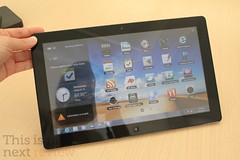
Samsung Series 7
Samsung Series 7 (Photo credit: Stratageme.com)

Recently I bought a Samsung 7" tablet and this has changed the way I view things on the internet and just in life in general.  So also I am a Newbie to this experience  I no longer have a need for books.  I can down load them on the internet and review them right here on my tablet.  I no longer have this need for newspapers I again get my total news feed right here off the internet.  I check my mail and check my social status right here on the the tablet.

You say well I have been doing that for years on my computer. 

 It is not the same as I have also.  I lay in bed at night and read a book holding the tablet.  I wake up to my morning coffee with the tablet open to my favorite page.   I can pull it out of pocket or just open up on the go and check my email.  I have my favorite TV Schedule on the tablet and it is a companion for my TV viewing pleasure.

Tim Potter Sugar Land texas Blue tooth phone

This size of tablet is what they call a Phablet.  


Not really big enough to be a true tablet but also not small enough to be a smart phone.  However the size and weight seem just perfect for everything.  It is light weight and easy to carry.  This device has become my everything go to computer device.  See where this is different is I can carry it every and it is simple easy to use.  My tablet is a little different is that it also has a Sim card and full phone and text capabilities.  So I have a blue tooth phone and it acts as my home phone also as my to go phone.

The apps that make this work are just the best.  Flipboard is my favorite by far it is like turning the pages of your favorite magazine.  Steve Jobs once said it was his favorite application and I must agree it is mine also.


So tablets are changing the way we view the internet.  They are changing the way we view the world.  The size, functionality  and weight make this my perfect travel, at home, and everywhere gadget.


Tuesday, January 1, 2013

The Works

The Works