Showing posts with label Google. Show all posts

Friday, March 20, 2015

Future Free Facebook Calls

FaceBook Dialer and Caller ID


Read More about this and other wonderful things at Android Police

Facebook, that company that is constantly trying to confuse you by naming its own branded apps after system apps, may launch another app it would now like to confuse you with, and it's called - wait for it - Phone. At least, that's what screenshots from a couple of folks who tipped us seem to say.

Cell Phone of Sugar Land
Cell Phone


Facebook, as we know, generally does major interface updates to its application server-side, so users occasionally get seemingly random glimpses of new features or UI designs before they launch. The [FB-ONLY] tag on this button for Phone would seem to indicate somebody flipped the wrong switch, and this element went live before it was supposed to. Tapping the button to install or update it does nothing but throw you to a "no page found" error, which is probably because the application is stored internally on Facebook's intranet for security purposes.

What we can divine from this button is, well, not a huge amount - but then again, it does just seem to be a dialer replacement. Phone will block calls from commonly blocked numbers and show you detailed information about incoming calls, a lot like the Whitepages Caller ID app. Presumably, Facebook will also be anonymizing your incoming call data for marketing and research purposes, because why else would they want to release an app like this?

We don't know if or when Phone will come to exist as a thing publicly, but it does seem like Facebook is at least testing it.

Tim Potter

Sunday, March 17, 2013

Blogger SEO Fixes


Image of Google and Blogger.

The best Fixes for Blogger you should do today.


When I first started this blog on Blogger I just first thought I would type a few sentences and be done.  Then the search engine would do the rest for me.  However what I have found is that this is not optimized for Search Engine Results.  So what I have had to do is change many things that would allow me to get better SEO results and a better user experience.

The things I did in no particular order and it helped with my overall experience. Finding these errors was easy as setting up webmaster tools.  However correcting them was a bit more.

  1. Duplicate Meta Tags
  2. Duplicate Title Tags
  3. No Landing Page
  4. Duplicate Search Descriptions
  5. Comments and Page have same title or duplicate.
So I will now address each one of those and what I did to fix each and everyone.  

Duplicate Meta Tags

This will not hurt you appearing in the search engine however it does affect the overall experience you have.  I used the tutorial found on this website to fix this error.  It was an easy enough fix.  CLICK HERE

Duplicate Title Tag

What happens with Blogger is they use the Blog Title in every post.  So your posts in the search engines do not have an idea about what the post is about.  What you need to do is reverse the two.  So the post title appears first and your blog title appears second.  It is an easy fix and should increase your overall position in the search results.  It was an easy fix and a good tutorial can be found here.  CLICK HERE

No Landing Page


No I found that the best thing is a landing page.  I post my link to various forums and other places that allow my site to be seen.  Yet people never got the sense of feel except the last post.  Maybe that post does not interest them.  However I have other posts that may interest them.  So when they visit the home page I want them to have a selection of posts they can choose from.  Not just the most recent article.   Again this was a real easy fix and really helped me with page views.   I used this tutorial and found it to be very easy to accomplish.  CLICK HERE

Duplicate Search Descriptions


This occurs when each page does not have its own search description and uses the default search result for every page it is a very easy fix and you should fix this.  It will give you a better overall search and address more key items when people seek you out.   Again this is another very easy fix and will assist you and your overall experience.  CLICK HERE     This will also fix your comment page where it shows duplicate errors so it is a twofer in the fix column.

With these easy fixes you can can be up in the search results and gain more and more traffic.  The sooner you start to optimize for search engines the better it becomes.   Blogger is a great platform yet it still leaves room for improvement.     

So Enjoy......


Wednesday, February 27, 2013

Blog Search Engine Success

typewriter typing blog

How to succeed in getting your results in the search engine


I started this Blog and my other Blog to gain my reputation back from an online stalker. Some of my copyright complaints with Google have been successful not all.   So I under took this blog idea and I never realized what goes into getting a good Google ranking in the search engine.  I am not talking about your page rank I am talking about where you are positioned in the search results.   Search engines have evolved over the years and something you think would be key are really no longer key.   First and fore most when you start this undertaking you must do three things:  Sitemap for your site, Google Webmaster Tools and Google Analytic.   So the Newbie idea has come full circle into learning everything I could about Google and Search engine optimization   

Lets start with Platforms.


Image representing Blogger as depicted in Crun...

Blogger - Which is what I am using is an excellent source to begin with however it has many Draw Backs.  The templates supplied are not optimized for search engines.  With that I spent hours fixing these errors.  Errors that are vital to reaching that number one position.  Some of the errors required me actually modifying the Template to adjust these errors.  This is not easy however it can be done.   Couple of errors I received were duplicate meta tags, duplicate titles.  This is a huge issue when you consider the goal of getting to number one.  However Blogger is a Google Product so it tends to get a little more consideration then other platforms.

WordPress


Always the grass looks greener on another platform however Word Press has a huge community and with that they also have a huge database of people that are able to assist you.  I am not sure of the all the errors with Word Press they do seem less when I was doing research trying to fix my site.  Additionally my duplicate site at the time did not have all these errors.


Title and Keywords


When a search engine goes to find key words the first place they seem to look at is your website address and title pages.  These are vital to match your keywords you are trying to target.  Additionally within the body of your text you must contain keywords that also relate to your Blog Title.  However there is a very fine line on what google accepts and does not accept.  I have read about 10 articles on the subject of keywords.  What is a good percentage is around 4% no higher or you may hit with what is known as key word stuffing.  So keep it between 2-4% and you accomplish your mission.  Remember your title should contain the keyword you are looking to accomplish.

Meta Tags and Descriptions


This has been around for a long time.  Each post you do in a blog should have a meta tag for search description.  Thus your post can easily be found in the search directory.  Again your search description needs to contain the keywords you are striving for in the post.   There are many other meta tags that help however one that seems to really help is having Authorship and if you have a Google plus account link it to that.   Also a meta tag that targets your language you are writing in is very helpful to the search engines.  There seems to be a bit of contention on the next one and this is meta tag for keywords.  Years ago this seemed very important however with the new algorhythms in search engines it is not that important.  Yet still it is another piece and you should have a keyword meta tag. 


First 100 words


When you write your blog it seems from what I read in various blogs from specialist in the field that your first 100 words are the most vital.  So you need to ensure that those first 100 words contain 4% keyword.  Thus the search engine will be very familiar with your site.  


66% Google share


Why do I say that.  Because that is the percentage of searches that are done on Google vice Yahoo, Bing, Ask and the various other search providers.  So do not forget to also do a sitemap and webmaster tools for Bing.  They additionally do this for yahoo.  With Firefox containing just under 20% of market share in browsers and switching from Google to Yahoo with a default yahoo tool bar. There will be a slight shift in that market share.    


Backlinks Backlinks Backlinks 


What this is are how many sites leading to your website.  The more the better is the correct answer however let me explain this further.  The people at the Search engines are not stupid.  If you have a brand new website that is generating very little traffic there is no way you can have 10,000 back links.  You need to build these in a natural conforming way.  The best way though not much weight is given to them is commenting on others blogs.  You could also write a guest blog yet when you first start out that is not really an option.  What I found best is find forums in your niche market and create back links via your profile.  Also post your work on the forum for others to read.  You get good feed back from your post and if the forum allows it you can get a back link also.  It is better to have 5 quality back links from respected sites then 50 from junk sites.    


Social Media


This is a vital tool in the success of your blog.  The search engines spend lots of time on social as the data is constantly changing.  So post your work on the social media page.  Create fan pages in social media.  Link your site to your profiles in social media.  This way you get the word out your site is out there.  Also it creates a buzz and people start talking about your site.  The more people share the better it is for your site.

These are just some newbie tips to help you with your first blog or web page.  It can be overwhelming being a newbie yet with a little bit a time and a little reading you will up and running to the first page of your favorite search engine.  Also do not forget content quality content is more important then any search engine optimization trick you can pull.  


Friday, February 15, 2013

Tim Potter's Copyright Violations and Google

Philippine-Sugar Land Tim Potter's issue with Google


Tim Potter Philippines Sugar Land by the beach
Tim Zol Potter
As I Tim Potter Philippine-Sugar Land sit back and wonder what would happen if someone stole your photos online or they steal your content. What are the actions you can take.  You can report these offenses to the web master that has the photos or material.  You can report them to the author of the website.  Yet those seem to do little good in the case of Cyber Stalker.  So then you can report them to Google who in reality just press a button for deny.

How do I,  Tim Potter Philippine-Sugar Land  know this, a Cyber Stalker has followed me around the web for no reason.  He is a jealous bitter old man.   That wishes people to live in his misery.

So then you follow the advice of Google.  Create positive things to outweigh what was said and things that are negative about you.  I Tim Potter Philippine-Sugar Land created a blog and many online profiles.  I used Blogspot and Google Plus to create these profiles.  You follow the instructions of Google.  Then the cyber stalker goes and steals your content and posts it on his profile.  He steals your Google Plus Profile and Blogspot posts.  So now you inform the website author of the what may happen.  You inform them that he has once again violated your copyright and stole your material.

Tim Potter Philippines Sugar Land after the Beach with wife
Tim Potter Philippines Sugar Land
So where does that leave us.  Well I  Tim Potter Philippine-Sugar Land gave him 12 hours to remove all my photos for his website.  I will then report this latest theft of material to Google.  Now seeing that Google Plus and Blogspot are both Google products I doubt seriously they will take kindly to the fact he has stolen from them.  However if they fail to act on this 100% plain action of copyright infringement   It will be the time  to start to exit 100% from the Google world.  As Google has just gone over the top to promote cyber stalkers and pedophiles  In the name of what?  See his site also contain underage girls in sex acts.  Yet Google refused to de-index that site.   Nor take action.   I figure unless you make a million dollars and go to court they refuse to act.  They have even refused to place those images in safe search.  Wow.....

Tim Potter Philippines Sugar Land over looking the city of Cebu
Tim Potter Philippine Sugar Land
There have been reports that ISPs do not entertain image theft anymore.  I  Tim Potter Philippine-Sugar Land  wonder how true those reports are.  The rub here is you take him to court to take down sites.  This costs you a thousand dollars or so to do as such.  Then for $10 dollars the cyber stalker opens up shop somewhere else.  Yet you are out a thousand dollars to fight back.  Additionally when the person lives in another country there is little you can do in regards to monetary damages as he is an expat in France.  Yet since this guy has a USA passport and his number was published on the web he has has been reported for child endangerment to US Authorities and the FBI.

I  Tim Potter Philippine-Sugar Land  will now sit back and wait for the outcome.  No matter the outcome with Google.  Two things will remain the same.   I will have a wife that is beautiful and would be the envy of any man.  That my cyber stalker will remain jealous and bitter over this fact.

Tuesday, January 29, 2013

How to Web Log or Blog using Blogger


This is icon for social networking website. Th...

Become a Blogger in no Time.


You’re able to become a journalist by writing your initial blog post, as an entry, for your new web log. as luck
would have it, the mechanics of writing a web log post are not much different from writing are e-mail.

Most posts are quite short and are written directly and informally, however you'll be able to build them as long as you would like. Each web log takes on a temperament and lifetime of its own.


If you've got used a Web-based e-mail service like Gmail, Hotmail, or MSN, web log package feels terribly acquainted. Making the post is solely a matter completing the acceptable fields in an exceedingly simple manner, info text, then sending it off to its destination — during this case, to your web log, instead of a friend’s inbox.


Image representing Blogger as depicted in Crun...

1 Go to the Blogger business screen.


Once you have finished signing up for your web log, click the beginning posting link to begin a web log post. The business screen seems. If you’re coming to Blogger, log in. Blogger takes you to the Dashboard — a sort of control board showing you the blogs you have got started — supplying you with access to tools like posting, facilitate resources, or maybe making another web log. Click the New Post link on the Dashboard to urge to the composing screen.

Tim Potter Philippines Blogger screen

2 Enter a title for your post within the Title field.


Titles are like newspaper headlines, catchy and informative so they encourage guests to your web log to continue reading.

3 Write your post within the field.


Consider writing your web log posts in an exceedingly normal word-processing program, like text editor or Microsoft Word, and saving the document. several web loggers have spent hours composing right within the entry field of their blog  to find out that their web log has had a technical problem leading to a lost post.

4 Format your post.


Blogger’s entry field includes icons across the highest that allow you alter the font and font size, apply headings and italics to text, and make common info designs like lists. To use these options, choose the text within the field that wish to change by clicking and dragging over the text; then click the acceptable icon or choose an possibility from the specified drop-down list.

5 Preview and Publish.


I always like to preview my post prior to publishing the I reccomend you do the same.  Once this is complete it is now just a matter of hitting the Publish and you are now on the web.  With your very first web log or Blog.

Enjoy

To get more bang for your buck follow these links to assist.

Pictures Zol and Tim Potter Philippines
Pictures 1
Pictures 1

Monday, January 28, 2013

What is Social Media all about?

So much these days is said about social media.


Tim Potter Philippines Social media

You have Facebook, Twitter, Google+, Foursquare, Pin interest and the list goes on and on.   Yet is this a curse or is it good for the masses.


Little History behind Social Media

Social networking seems like a very new phenomenon and, certainly for the younger generation, it’s hard to imagine a world without Facebook and Twitter.
But social isn’t (and never was) just these two platforms – in fact, it actually predates both of them by over thirty years. Yep. The history of social media is, essentially, the history of the internet, and you will find its roots in email, usenet, the world wide web, blogs and (gasp) AOL.
Fast-forward to 2003, and MySpace and Friendster were *still* all the rage. True, it wasn’t until Facebook (2004) and Twitter (2006) came along that social media really began to change the world, but its foundations can be discovered a lot further back in the timeline. And in ten years from now, unthinkable as it might seem today, it’s inevitable that both of these platforms will have been superseded by something else, too. Such is the nature of the beast.

So is social media replacing the mainstream news.  


Social Media Tim Potter Philippines
With social media people are often misquoted and misrepresented on the internet.  It seem as though the masses believe much of what they read on  social media sites.  However they are no better then your average gossip station for people read about.  It is like the old saying "bunch of old ladies sitting around with nothing better to talk about"  So people just go about and make things up.


However then you have the real problem with social media.  No where in the history of time has your life been open up to predators the way it is today.  


Cyberstalker
People will freely give up personal information to join social networks on the Internet. Afterwards, they are surprised when their parents, employers and others read their journals. Communities are outraged by the personal information posted by young people online and colleges keep track of student activities on and off campus. The posting of personal information by people has consequences. The New York Times reported that the National Center for Missing and Exploited Children, a nonprofit group, says that one in seven regular Internet users between the ages of 10 and 17 will be solicited online for sex. That figure has fallen from 2000, when it was one in five.

So why is social media so popular?

Anyone who’s not using a social network probably wonders what the fuss is all about.

But for those who use Facebook, Twitter or LinkedIn, and that’s more than half of all adult Americans, the answer revealed by a new study released today will come as no surprise at all: social networks let them stay in touch with family members and connect with friends. 

So stay in touch however just be safe about it.

Remember to share on Facebook or like if you enjoyed.


Friday, January 25, 2013

Blocked by Google

Now this may seem like such a big deal however it is not that big of an issue.  Let me further explain.  


Automated requests sent from your machine


When I received the message:


We're sorry...

... but your computer or network may be sending automated queries. To protect our users, we can't process your request right now.

See Google Help for more information.

According to the website and help documentation I should check for Viruses, Malware and Spyware using a whole list of software they recommend to use.   I however know 100% prior to this my computer was clean.  So then why did I get this message.

Internet Service Providers (ISPs)  only have a number of Internet Protocol  (IPs) addresses they can use.  Thus they do not give you an internet address you can use on the internet.  However one address that is used on the intranet.  Then once you go out the internet you share your IP with 100's of other people on the internet.  This is know as being behind a proxy.

So how do you check if you are behind a proxy or actually assigned an IP address.  Well the process is very simple.

If you just type into Google what is my IP it will give you what your IP address is.    Then you will have one or two things you must do.

If you are connected through a router go to the router admin page and look for the WAN IP.  If that number is the same as the IP given on Google then you are not behind a Proxy.   Now if you are not behind a router and connected directly you will go to your   Windows start icon and type in the search for programs type "CMD".  (no "").   A box will appear and inside the box you will type ipconfig /all.  Look for IPV4 address and that will either match or not.   If it does not match then you are behind a proxy server.   Proxy address normally begin with either 192 or 10.

Simple and if you are unsure if you are clean from viruses, spyware and malware please read my tips on keeping your computer clean.


Thursday, January 24, 2013

Tablets changing the world

Tablets changing everything

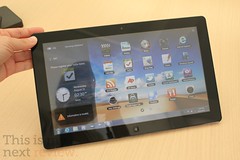
Samsung Series 7
Samsung Series 7 (Photo credit: Stratageme.com)

Recently I bought a Samsung 7" tablet and this has changed the way I view things on the internet and just in life in general.  So also I am a Newbie to this experience  I no longer have a need for books.  I can down load them on the internet and review them right here on my tablet.  I no longer have this need for newspapers I again get my total news feed right here off the internet.  I check my mail and check my social status right here on the the tablet.

You say well I have been doing that for years on my computer. 

 It is not the same as I have also.  I lay in bed at night and read a book holding the tablet.  I wake up to my morning coffee with the tablet open to my favorite page.   I can pull it out of pocket or just open up on the go and check my email.  I have my favorite TV Schedule on the tablet and it is a companion for my TV viewing pleasure.

Tim Potter Sugar Land texas Blue tooth phone

This size of tablet is what they call a Phablet.  


Not really big enough to be a true tablet but also not small enough to be a smart phone.  However the size and weight seem just perfect for everything.  It is light weight and easy to carry.  This device has become my everything go to computer device.  See where this is different is I can carry it every and it is simple easy to use.  My tablet is a little different is that it also has a Sim card and full phone and text capabilities.  So I have a blue tooth phone and it acts as my home phone also as my to go phone.

The apps that make this work are just the best.  Flipboard is my favorite by far it is like turning the pages of your favorite magazine.  Steve Jobs once said it was his favorite application and I must agree it is mine also.


So tablets are changing the way we view the internet.  They are changing the way we view the world.  The size, functionality  and weight make this my perfect travel, at home, and everywhere gadget.


Sunday, January 20, 2013

Proxy Server and You

What can done with a Proxy Server


English: A schematic representation of a proxy...


First what is a proxy server:


Quote
In computer networks, a proxy server is a server (a computer system or an application) that acts as an intermediary for requests from clients seeking resources from other servers. A client connects to the proxy server, requesting some service, such as a file, connection, web page, or other resource available from a different server. The proxy server evaluates the request according to its filtering rules. For example, it may filter traffic by IP address or protocol. If the request is validated by the filter, the proxy provides the resource by connecting to the relevant server and requesting the service on behalf of the client. A proxy server may optionally alter the client's request or the server's response, and sometimes it may serve the request without contacting the specified server. In this case, it 'caches' responses from the remote server, and returns subsequent requests for the same content directly.
Click here for more

Is this not what you talked about in your article about VPN's?  No a VPN is different then a proxy server for the primary reason your data is encrypted prior arrival and when it is sent back.  Thus what actual traffic is being sent is unknown to the internet service provider and the world.  This is an just sending your data via another route.  This is just sending your data via an unsecured means through another computer so your location is unknown.

What can you do with a proxy server.


Primarily a proxy will hide your location on the internet. So if not knowing your location is important then a proxy server is the way to go. I use a proxy server to stream media from the internet. I use a pay service to do this with Hide My Net. It cost $5 a month and works with Hulu and other restricted data. As Videos from Youtube, Itunes Amazon and many others restrict your ability to go on those sites.

Where can I get a Free Proxy Server.


Remember that if you use a free proxy server they may be capturing your data. This is a risk. However if it is just to see Videos or surf geo restricted sites. Then there are sites out there you can set up a free proxy server through.

Here are a few lists of free proxy servers:
Proxy-Ip-list
IP List by Country


How do I set-up Proxy server with Browser.

IE
FireFox
Chrome


For Browsers I like to use programs that Automatically switch between the Proxy and the Direct Connection.

In FireFox I use:
FoxyProxy

In Chrome I use
Proxy Switchy

In IE I use
Proxy Switch


Last thing;


Is what to do about desktop applications that need access to the internet. What can I do about those applications that do not have have way to setup a proxy. I use a program called Proxifier to route all traffic through this. http://www.proxifier.com/

However remember that with free proxy servers you do not know who is capturing your data. This is not a secure way to send any data. It is highly not recommended. USE ONLY FOR SURFING AND STREAMING...

Internet Blogs
Internet blog

Life With A Tablet PC

What is it like owning a Tablet PC

Tim Potter Samsung Tab Plus


Well I bought a Samsung 7" tablet a few months back. The reason I bought a 7" and not a 10" was the fact I wanted something I could carry. However I wanted it large enough to see without having to expand the screen size. What I have found is this an excellent complimentary device that is portable light and easy to use. Additionally this has the capability for cell phone and messaging. Along with a blue tooth device it is just awesome. With a keyboard style layout and messaging in conversation mode. It makes for excellent communication. Also because it has 3G and 4G capabilities I can use Google Voice to call the US free of charge. (3g or wifi charges may apply). The size and weight of the device is also a plus we can carry it around to mall or to stores. This has replaced our cell phones and used as much as a laptop or desktop. It also has almost replaced the camera we have. It takes excellent pictures and with various apps it makes it so easy to take great pictures.
Google Play
Google Play

Google Play


The other benefit is Google Play a site dedicated to applications that you can use on the device. Many are free and some charge. There are games, e-readers and just so much it is hard to explain. I was an Apple guy and thought Ipad has this market all sowed up with ease of use. Not the case. We have the 16Gb model and that is so much storage. We have hundreds of songs and thousands of pictures that can so easily be flipped through and listened to or watched.

Features


The other question many have are they all the same. Do all tablets that offer android have the same features and specs. I tried many of them and laid them down side by side. Ipad was the best of the bunch yet it had a price tag that says hey I am a Cadillac. Then I got to the Android tablets. I looked at specs and looked at storage on the device. I have a Tab Plus which minus (specs wise) the screen is better then the Tab 2 (not available when I purchased). The biggest thing I found with the cheaper models was the screen responsiveness. How hard I had to push or hold to make things happen. Clarity of icons and camera was another issue with the cheaper off name brands. The best thing to do is shop around there are so many brands to choose from. The Tab Plus is cheaper because of the release of the Tab2. One thing you should look for is a device that has Ice Cream Sandwich or Honey Comb. They are the latest OS for Android Devices. Stay away for a device that has Froyo as it may not be able to be upgraded as the case with the Original Samsung Tab. 

These devices are just awesome for the casual user that wants to surf or just wants to get on the web, check email or facebook. Without the hassle of a laptop. The battery life is reasonably good 9+ hours of surf time. Plus it makes life so easy.

Enjoy..... 
Computers Blogs
Computers blog

Friday, January 18, 2013

Two Tips to Better Googling

Good Goggling tips for a Better Experience.

Image representing Google as depicted in Crunch base

First Tip:

No Region Google


Look I am not alone when I say this. I hate that I get Regional  Google. I want to search the web and being an American most of my searches are targeted for the entire web and not ads that suit my location. 

I changed my searches over to this. What it does is give you Google without country ID. Thus you can search the web and find relevant items without a lot of Regional items.

Just by adding NCR after the .com/NCR  you will search the entire web.  This can also be accomplished through the Google tool bar.  However if you are like me.  Who wants all those tool bars?  

Second Tip:

Recording all Your Search Terms


Yes as I said every thing you have ever searched for is saved by Google  If you were logged into Gmail or Google in any form. You can also review everything you ever searched for. Hmmm maybe not a good thing.

Helpful to turn it off


Turn off your Google Web History


If you're visiting a webpage or performing a search that you don't want stored in your Google Web History:
Click the gear icon on the upper right corner of a search results page, and go to Search history.
Click the gear icon again on the upper corner of the Web History page, and go to Settings.
Click the Turn off button next to "Web History is on." To start keeping track of your web search activity again, click the Turn on button.
Sometimes you might prefer to run a few searches without recording them. Instead of turning off your Google Web History, you can simply use a private browsing mode like Google Chrome incognito mode or Firefox Private Browsing to prevent your web activities from being associated with your Google Web History.
Note: If you sign in to your Google Account in private browsing mode, your subsequent web activities are recorded in your Google Web History. Stay signed out if you don't want them to be stored.
If you'd like to sign out of Google Web History altogether, click your name or email address at the top of the page, then select Sign out from the drop-down menu. Note that you'll need to sign back in to your Google Account in order for Google Web History to begin storing your activity again.
If you sign out of your Google Account, your browser might continue to store your search history. 

If you like the tips ensure you like us on Face Book and Google plus.

How to get Blog Indexed by Google


Getting a Blog Indexed by Google


Google Index


I wondered what it took to get Google to index it in the search engine. Then I wondered how long it would take Google to index it.  


Well everything I read the answer was who the hell knows.  There is no answer to that question and only Google has the answer.  So then I read about what you can do to get Google to index your site faster.  Here is a list of the things I found out.  This is good for anyone that wants to start a website or blog.  

List of things to do.


SEO (search engine optimize) optimize your site:  I used a website to ensure that my site was optimized to ensure the search engine read the site.  When I first built the site it was at 47% now I am at 100% .

Signup for Google analytic and include the code in you site

Signup for Google webmaster tools and submit a site map

Backlinks to relevant locations.  Not just back links as that can slow you down.

Social Media Google plus and Facebook drive traffic.  You should use that as you as the Author of content.

Content.  When you first get a website keep your content simple and what you write about to one particular topic.  If there is less on that topic out there then you get indexed faster.  However good content.

Internal links Search engines like that you have links to other items.  So ensure you have internal links to things.  

I did these simple things and 4 days my website was indexed by Google   So it can be done easily yet you must do things that Google likes to see.  Your content plays a very large role in getting you indexed.  

Enjoy.
Update

*** This was the second article I published and after 4 days Google indexed my site. Now I did do a few extra things that seemed to help.  I created a Facebook Fan Page.  Then I requested Google to Crawl that page.  I also did one guest blog on another site that had a very high Page Rank.  In the end it took me only 4 days to get this page and my site indexed.  

Related articles
Web Design Blogs
Web Design blog